
The Ultimate AniGame Selfbot: Automate Your Game, Maximize Your Gold, and Play Smarter
Are you tired of spending countless hours grinding in AniGame?
Do you wish there was an easier way to earn gold, complete raids, and maximize your gameplay without being glued to your screen?
Well, look no further – the AniGame Selfbot is here to revolutionize the way you play.
Whether you’re an experienced player or a newcomer to the world of AniGame, this selfbot offers an all-in-one solution to automate nearly every aspect of your gameplay.
From battle floorings to auto-raids, selling gold, and even kicking AFK players – it’s designed to make your gaming experience smoother, faster, and more rewarding.
In this article, we’ll dive into the features and benefits of the AniGame Selfbot, explain how it works, and show you how it can elevate your gameplay while you sit back and relax. Ready to take your AniGame experience to the next level? Let’s get started!
1. Auto ‘hourly‘, ‘lotto’, ‘bt all’ or ‘bt’ Flooring – You Choose!
One of the most tedious parts of AniGame is grinding for hours, performing the same repetitive actions. With the AniGame Selfbot, you no longer have to worry about missing out on hourly rewards, lotto/lottery, or the time-consuming battle floorings.
The bot handles it all automatically. You can set it up to participate in hourly, lotto/lottery, bt all or flooring without ever having to touch your keyboard. What’s more, everything is automatic even when you’re not around!
- Hourly: The bot ensures that you never miss the chance to collect your hourly rewards.

- Lotto: Run lotto/lottery effortlessly and maximize your chances of earning rare items and gold.
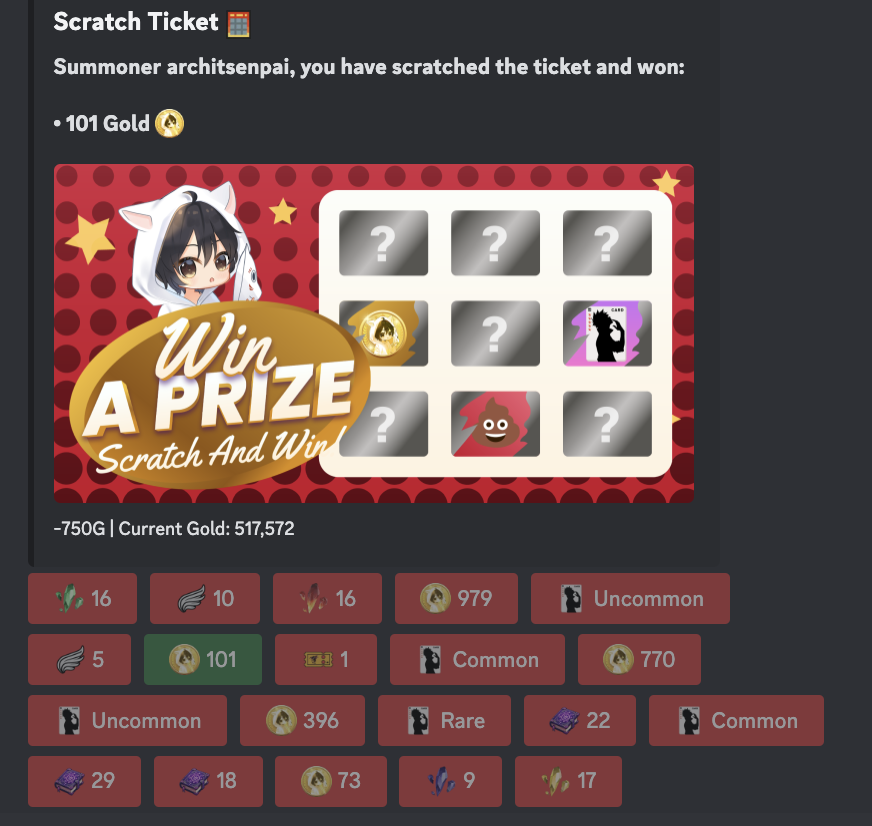
- Battle All: Spam bt all in a specific floor? No worry!
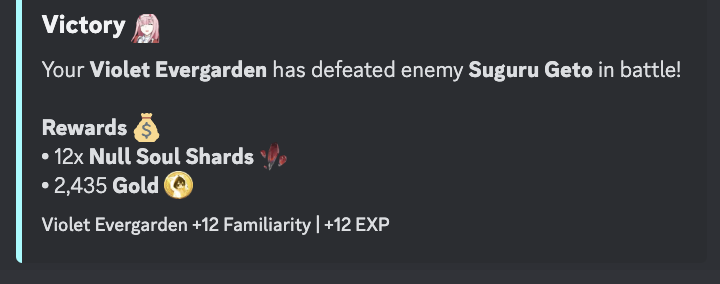
- Battle Flooring: The selfbot fights for you until you run out of stamina, from battling to jump to the next location. Once you have enough stamina again, it will automatically resume fighting, keeping your progression smooth and uninterrupted.
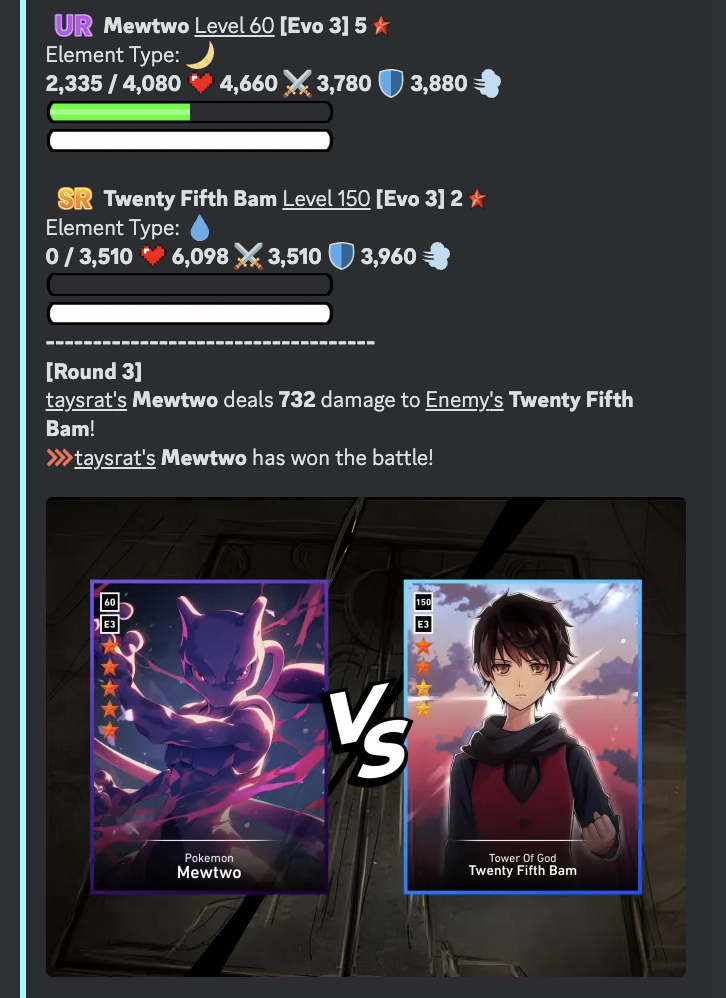
2. Auto Open and Join Raid Lobbies
Raids are an essential part of AniGame, offering huge rewards, experience, and the potential for rare loot. However, manually opening raid lobbies and waiting for players to join can be tedious.
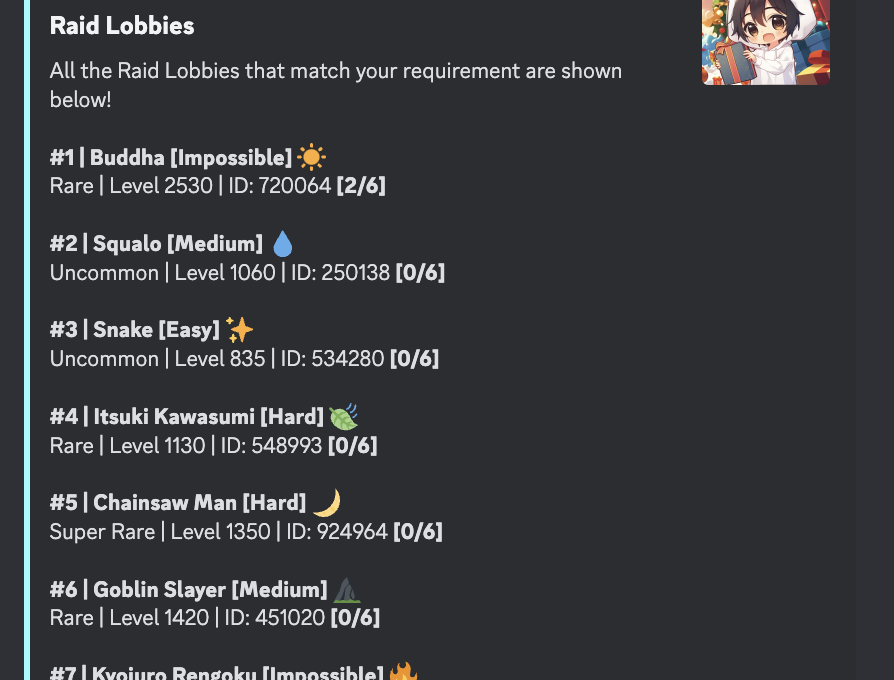
With the AniGame Selfbot, you can automate the entire raid process:
- Auto Join Raids: The bot scans for available raids and joins the ones that match your specifications, saving you the hassle of searching for lobbies.
- Raid Leader Automation: If you’re a raid leader, the selfbot will wait until the lobby is full (or until there are 5/6 players). Once the raid starts, it will automatically participate, battling until the boss is defeated.
- Post-Raid Actions: After a successful raid, if you have enough raid passes, the bot will automatically look for and join another raid. If you’re running low on raid passes, the bot will stop looking until you have at least two passes again.
Not only does this save time, but it also allows you to participate in more raids, boosting your chances of getting valuable rewards and experience points.
3. Auto Selecting Teams Before Raids
Choosing the right team for a raid can be a time-consuming task. But with the AniGame Selfbot, this process becomes automatic!
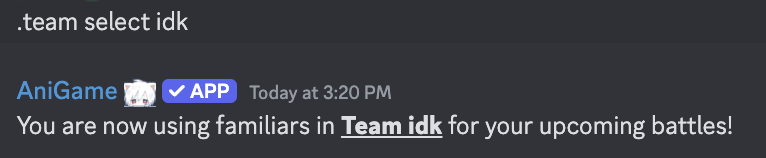
Before joining a raid, the bot will auto-select the best team for each raid based on the raid’s requirements (e.g., elemental requirements). You just need to prepare one team for each element in advance, and the bot will handle the rest.
By ensuring that the right team is always chosen for every raid, the selfbot maximizes your chances of success, allowing you to focus on other aspects of the game.
4. Kick AFK Players Automatically
No one likes to be stuck in a raid with AFK (away-from-keyboard) players who are not contributing to the fight. With the AniGame Selfbot, you don’t have to deal with these types of players.
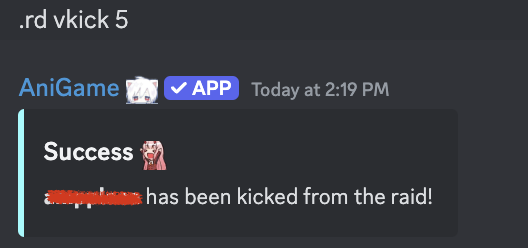
The bot features an auto-vkick function that removes AFK players from the raid automatically. If a player is found to be inactive for 56minutes+, the bot will kick them out of the lobby and allow for a more efficient raid experience. This ensures that you never waste time with non-contributing players.
5. Auto Leaving Raid if You’re Leeching
Being a low-damage player in a raid can be frustrating, especially if you’re leeching or not contributing enough to the fight. Instead of dealing with the shame of being called leecher by other players, the AniGame Selfbot automatically detects when your damage is too low.
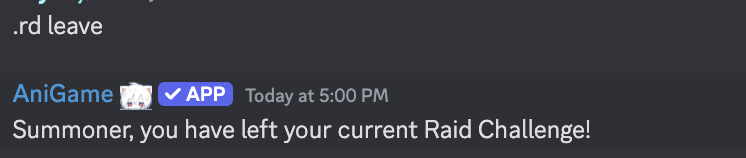
If your performance is subpar, the bot will auto-surrender so that you don’t receive negative feedback from your teammates. This helps maintain your reputation as a reliable raid participant while ensuring you don’t waste other players’ time.
6. Sell Cards to the Global Market Automatically
After completing a raid, you may have several cards drop, including SR (Super Rare) and UR (Ultra Rare) cards. The AniGame Selfbot automatically handles the process of selling these cards to the Global Market.
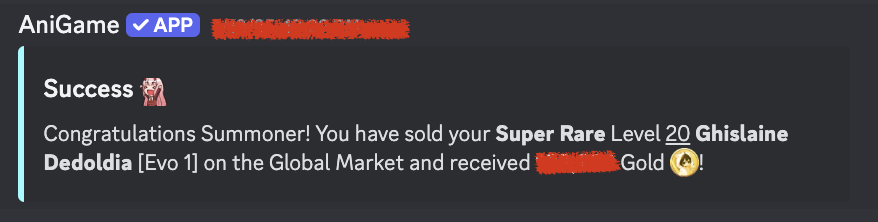
- Selling SR Cards: Any SR cards dropped in a raid will be automatically sold at the best price in the global market.
- Keeping UR Cards: The bot will retain any UR cards you obtain, ensuring that you don’t accidentally sell valuable cards.
By automating this process, you can rest assured that you’ll always earn gold from your raids without needing to manually list and sell cards.
7. Auto Raid Spawn (.rd spawn i)
The AniGame Selfbot doesn’t just join raids – it will also auto-raid spawn when needed. This means the bot will automatically search for new raid lobbies and join them when they’re available. With the selfbot constantly on the lookout for new opportunities, you’ll never miss a chance to earn rewards from raids.
8. Auto Donate (Optional)
In AniGame, donations can help you level up and support your team. The selfbot allows you to automatically donate resources (such as gold) to your clan.
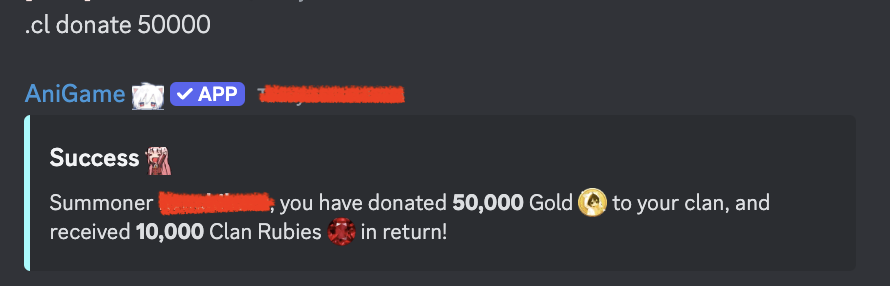
You can choose to enable or disable this feature depending on your preferences. You can set the interval of each donation, whether everyday, two, three, or weeky.
9. Random Sleep Time like ‘Human’
Unlike other bots that run 24/7 without rest, the AniGame Selfbot includes a random sleep timer to mimic human behavior. The bot will be online 24/7, but it will intentionally take a break for 5-7 hours each day.

This sleep cycle helps prevent your account from being flagged as suspicious or bot-like, ensuring your safety while you’re maximizing your in-game rewards. The random sleep time adds an element of unpredictability, making your gameplay appear more natural and less automated.
10. Simple Selling and Upgrade Commands
The AniGame Selfbot makes it easy to manage your cards and upgrades:
- Sell Cards: Type
.sell cardname1,cardname2,cardname3to automatically sell the specified cards to the global market at the cheapest price. - Upgrade Cards: Type
.upgrade id1 id2 id3 id4to automatically upgrade your cards until they reach evolution stage 3.
These simple commands streamline the process of managing your cards, helping you save time and effort while maximizing your in-game assets.
Conclusion: Why You Need the AniGame Selfbot?
The AniGame Selfbot is the ultimate solution for players who want to automate their gameplay, earn more gold, participate in more raids, and improve their overall experience in AniGame. With features like auto-raiding, card selling, team selection, and AFK kicking, this bot covers nearly every aspect of the game that requires manual input.
By using the AniGame Selfbot, you’ll be able to focus on the parts of the game you truly enjoy while the bot takes care of the tedious grinding and repetitive tasks. Whether you’re looking to maximize your gold, earn rare loot, or simply play more efficiently, the AniGame Selfbot is the tool you need to take your gameplay to the next level.
Start using the AniGame Selfbot today, and let it do the hard work for you!
DM me on Discord for more details!